
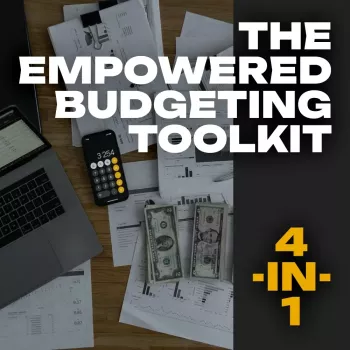
A budgeting routine works best when planning, tracking, and motivation live in the same system. The The Empowered Budgeting Toolkit | 4-in-1 Bundle brings those pieces together so you can see your numbers, make small adjustments before the month gets away from you, and build habits that actually stick. Instead of starting from a blank spreadsheet (or guessing at category limits), you get a structured planner framework, an Excel guide for repeatable tracking, savings and wealth strategies to keep goals front-and-center, and guided affirmations designed to reduce the “spiral” that can happen when money feels stressful.
If you want a system that’s straightforward enough to use consistently—but flexible enough to grow with you—this toolkit is built for real life: irregular expenses, surprise bills, and months that don’t go perfectly.
If you’re also trying to reduce “friction” around daily spending—like keeping receipts, cards, and cash organized—having a dedicated wallet can support the routine. A compact option like the Michael Kors Jet Set Travel Pebbled Leather Wristlet Wallet can make it easier to keep payment methods and budgeting notes in one place during the month.
The fastest way to make budgeting feel doable is to pick a simple cadence and repeat it. The first month takes the longest; after that, you’re mostly updating totals and making small course corrections.
| Timing | What to do | Outcome |
|---|---|---|
| Day 1–2 | Set income, fixed bills, and savings targets; allocate variable category limits | A clear plan before spending starts |
| Mid-month (10–15 min) | Compare actuals vs limits; move small amounts between categories if needed | Prevents end-of-month surprises |
| End-of-month (20–30 min) | Close out totals, review wins/misses, set next month’s targets | Continuous improvement without shame |
Excel is powerful, but it can become a distraction if you try to track everything perfectly. The goal is clarity, not complexity.
If you want a solid baseline for what belongs in a budget (and how to structure it), the Consumer Financial Protection Bureau’s budgeting resources are a helpful reference: https://www.consumerfinance.gov/consumer-tools/budgeting/.
Tracking tells you what happened; strategy helps you shape what happens next. Pairing your monthly review with a few high-impact moves can create momentum even when income fluctuates.
For paycheck planning, updating your withholding can prevent unpleasant surprises later. The IRS estimator is a practical tool when your income or deductions change: https://www.irs.gov/individuals/tax-withholding-estimator.
If you want a single system that combines planning, Excel-based tracking, savings structure, and habit support, explore The Empowered Budgeting Toolkit | 4-in-1 Bundle. It’s built to help you make calmer decisions, protect savings goals, and build a repeatable monthly routine.
It works for both: beginners get a guided structure to follow, while experienced budgeters can customize categories in Excel and use the wealth strategies layer to refine priorities and automation.
Plan on 30–60 minutes for initial setup, then two check-ins (about 10–15 minutes mid-month and 20–30 minutes at month-end). Over time, consistency shortens the process because your categories and averages are already established.
No—affirmations support follow-through by reducing stress and keeping you engaged with the process. Results come from planning, tracking, and small repeatable actions (like one review and one transfer at each check-in).











Leave a comment